
MacBook Neo: Apple’s $599 Laptop Explained — Specs, Performance & Compromises
Apple’s cheapest MacBook ever, the MacBook Neo, launched on 11 March 2026 at $599 (₹69,900 in India) with a 13-inch Liquid Retina display, an iPhone 16 Pro’s A18 Pro chip, a fanless aluminium body and up to 16 hours of battery life. It is a genuine Mac at a genuinely new price — but it also cuts backlit keys, Force Touch, True Tone and RAM expandability to get there. Here is the full, research-backed breakdown of what you get, what you lose, and who should actually buy it.
The name is deliberate. This is not a MacBook Air Lite or a recycled old chassis; it is a new product line with its own design language, its own compromises and its own audience. Apple is explicitly targeting students, first-time Mac buyers and families who want the Apple ecosystem without paying Air or Pro money [10†L14-L18] [13†L9-L14]. The question is whether the cuts Apple made are acceptable — and for most light users, they are.
Design: Aluminium, Four Colours, 1.23 kg
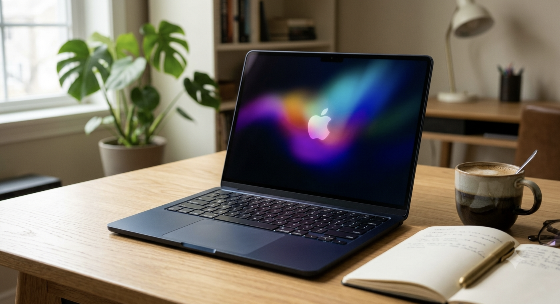
The MacBook Neo uses an aluminium chassis, not plastic, and reviewers consistently note that it feels far more premium than its price suggests [6†L32-L34] [13†L19-L27]. It weighs 1.23 kg and is 12.7 mm thick — effectively the same weight as the 13-inch MacBook Air, though slightly thicker and with a smaller footprint [6†L35-L39] [14†L29]. The fanless design means it runs silently, which matters in classrooms and libraries [4†L22-L23].
The four colours — Blush, Indigo, Silver and Citrus — are carried onto the keyboard and the feet for a cohesive look [4†L9-L11]. This is a more playful palette than the Air’s understated Midnight and Starlight options, and it signals clearly who the product is for [9†L31-L33].
Display: 13-inch Liquid Retina, 500 Nits
The 13-inch Liquid Retina display has a resolution of 2,408 × 1,506 pixels, 219 ppi, 500 nits of brightness, and support for 1 billion colours [4†L11-L14] [14†L20-L22]. It is sharp, bright enough for indoor use, and perfectly capable for browsing, streaming and document work [9†L36-L39]. The panel has an anti-reflective coating, which helps in bright rooms [4†L13-L14].
What it does not have matters just as much. There is no True Tone and no ambient light sensor, so brightness and colour temperature do not adjust automatically to your surroundings — you will be changing brightness manually when you move between a bright kitchen and a dim bedroom [11†L19-L25]. The display also sticks to the sRGB colour space rather than the wider P3 gamut used on the MacBook Air [3†L12-L14] [9†L40-L44]. For casual use this is fine; for photo editing where colour accuracy matters, the Air is the better tool.
The Neo’s screen is sharp, bright and comfortable for everyday tasks. It is not a colour-grading display, and it will not adjust itself for you — but at $599, it is better than almost any Windows laptop in the same bracket.
Performance: An iPhone Chip in a Mac
The headline silicon is the A18 Pro, the same chip used in the iPhone 16 Pro [8†L7-L8]. It is a 6-core CPU (2 performance + 4 efficiency cores), a 5-core GPU with hardware ray tracing, and a 16-core Neural Engine [14†L18-L20]. Apple pairs it with 8GB of unified memory — non-upgradable — and either 256GB or 512GB of SSD storage [14†L20-L21].
On paper, that looks modest for a laptop in 2026. In practice, reviewers found the Neo surprisingly capable. It handled 54 pre-installed apps without issue [3†L29-L32], juggled multiple browsers, a video stream, photo editing in Pixelmator Pro and light gaming without much trouble [3†L35-L38], and in one benchmark scored 3,406 points against the M3 MacBook Air’s 2,980 [3†L15-L16]. The A18 Pro beats the M1 in both single-core and multi-core tests [11†L10-L12].
The limits appear under sustained load and with many heavy apps open at once. 8GB of memory is the real constraint, not the chip [5†L6-L7] [10†L31-L32]. For web browsing, documents, streaming, video calls, light photo editing and student work, it is more than enough. For 4K video editing, large codebases, virtual machines or heavy multitasking, it is not the right machine — and the MacBook Air M5 is the correct upgrade [6†L18-L22].
What Apple Cut: The Five Real Compromises
Apple did not hide these cuts, but they are easy to miss in a spec sheet. Here is what actually changes day to day:
- No backlit keyboard. Typing in a dark room or on a night flight requires an external light source. This is the omission reviewers mention most often [11†L26-L30] [9†L24-L25].
- No Force Touch trackpad. The Neo uses a mechanical multi-touch trackpad instead of Apple’s haptic pressure-sensitive system. It works well, but it does not click the same way [11†L30-L36] [9†L25-L27].
- No True Tone or ambient light sensor. The display does not adapt to your room, so you adjust brightness yourself [11†L19-L25].
- Touch ID is 512GB-only. The base 256GB model has a lock key instead; you unlock with a password or an Apple Watch [6†L45-L46] [13†L42-L43].
- One USB-C port is USB 2.0. One port runs at 480 Mbps (fine for charging, slow for file transfers), the other at up to 10 Gbps. Apple shows a warning if you plug into the slow port, but there is no visual marker on the chassis [11†L36-L44] [14†L25-L26].
Two smaller cuts worth knowing: the included charger is 20W while the laptop accepts up to 30W, so a full charge takes roughly 2–3 hours unless you buy a faster adapter [11†L44-L46]; and the 1080p FaceTime camera is serviceable but not exceptional [14†L40-L41]. On the positive side, the Neo keeps the 3.5mm headphone jack, Wi-Fi 6E, Bluetooth 6, dual microphones and dual side-firing speakers with Spatial Audio [8†L12-L13] [4†L24-L27].
MacBook Neo vs MacBook Air M5: The Real Decision
| Feature | MacBook Neo | MacBook Air M5 |
|---|---|---|
| Starting price (US) | $599 | $1,099 |
| Starting price (India) | ₹69,900 | ₹1,19,900 |
| Chip | A18 Pro (iPhone 16 Pro silicon) | Apple M5 |
| CPU / GPU cores | 6-core CPU / 5-core GPU | 10-core CPU / 8-core GPU |
| Memory | 8GB unified (not upgradable) | 16GB unified (up to 32GB) |
| Display | 13-inch, 2408 × 1506, 500 nits, sRGB | 13.6-inch, 2560 × 1664, P3, True Tone |
| Battery (video) | Up to 16 hours | Up to 18 hours |
| External displays | One 4K monitor | Two 6K monitors |
| Wireless | Wi-Fi 6E, Bluetooth 6 | Wi-Fi 7 |
| Keyboard backlight | No | Yes |
| Touch ID | 512GB model only | Standard |
| Weight | 1.23 kg | 1.24 kg (13-inch) |
The Air is not just a slightly better Neo; it is a different class of machine. The M5 chip has four more CPU cores and three more GPU cores, double the base memory, a wider P3 display with True Tone, two external display support, Wi-Fi 7 and a backlit keyboard [2†L5-L8] [10†L31-L32] [9†L39-L44]. It also gets 18 hours of video playback versus the Neo’s 16 [2†L20-L21].
But the price gap is enormous: in India, the Air starts nearly ₹50,000 higher [9†L6-L8]. If your work is browsing, writing, spreadsheets, video calls, streaming and light photo editing, the Neo covers it — and the extra ₹50,000 buys capability you may never use. If you edit video, run many heavy apps simultaneously, need colour-accurate work or connect two high-resolution monitors, the Air is the honest choice.
The MacBook Neo is not a worse MacBook Air. It is a different product for a different buyer — and for that buyer, it is arguably the best value laptop Apple has ever made.
Software, AI and Sustainability
The Neo ships with macOS Tahoe, which means full access to Apple Intelligence features such as Writing Tools and Live Translation, plus Continuity features like Handoff, Universal Clipboard and iPhone Mirroring [8†L14-L17] [4†L33-L35]. The 16-core Neural Engine runs Apple Intelligence workloads locally, keeping data on-device [8†L20-L22].
On sustainability, Apple calls the Neo its lowest-carbon Mac ever: 60% recycled material overall, including 90% recycled aluminium and 100% recycled cobalt in the battery, with fibre-based recyclable packaging [4†L36-L39] [8†L24-L26].
Verdict: Who Should Buy the MacBook Neo?
Reviewers broadly agree that the Neo is an impressively well-rounded laptop for the price [14†L41-L43]. Times of India gave it 4/5 and called it the kind of product that “quietly shifts the ground beneath an entire industry” [13†L4-L9]. CNET framed it as a machine students will love but one that others should consider carefully [10†L4-L6].
Buy it if: you are a student, a first-time Mac buyer, a family buying a shared home laptop, or someone whose work is web, documents, email, video calls and streaming. The aluminium build, silent fanless design, 16-hour battery and full macOS experience are exceptional at $599.
Skip it if: you edit video or large photo libraries professionally, need 16GB+ of RAM, connect multiple external monitors, work in dim environments without external lighting, or want a machine that will comfortably last through heavier workloads five years from now. The MacBook Air M5, or a discounted M4 Air, is the better long-term buy for those users.
The MacBook Neo is Apple’s most important laptop in years not because it is the most powerful, but because it finally makes the Mac accessible. The compromises are real — and so is the value.
Login with